
Adding Employees to Your Backend: Easy Steps
To add employees to the backend of your system, you can follow these straightforward steps, similar to how you add contractors. Here’s a detailed breakdown:
1. Navigate to the "Team" section and select "Add Employees."
This is usually found in the main menu or dashboard of your backend system. The "Team" section is where you manage all user-related functions, including adding and managing employees.
Once you're in the "Team" section, look for an option or button labeled "Add Employees." Clicking this will bring up a form or interface where you can enter details about the new employees you want to add.
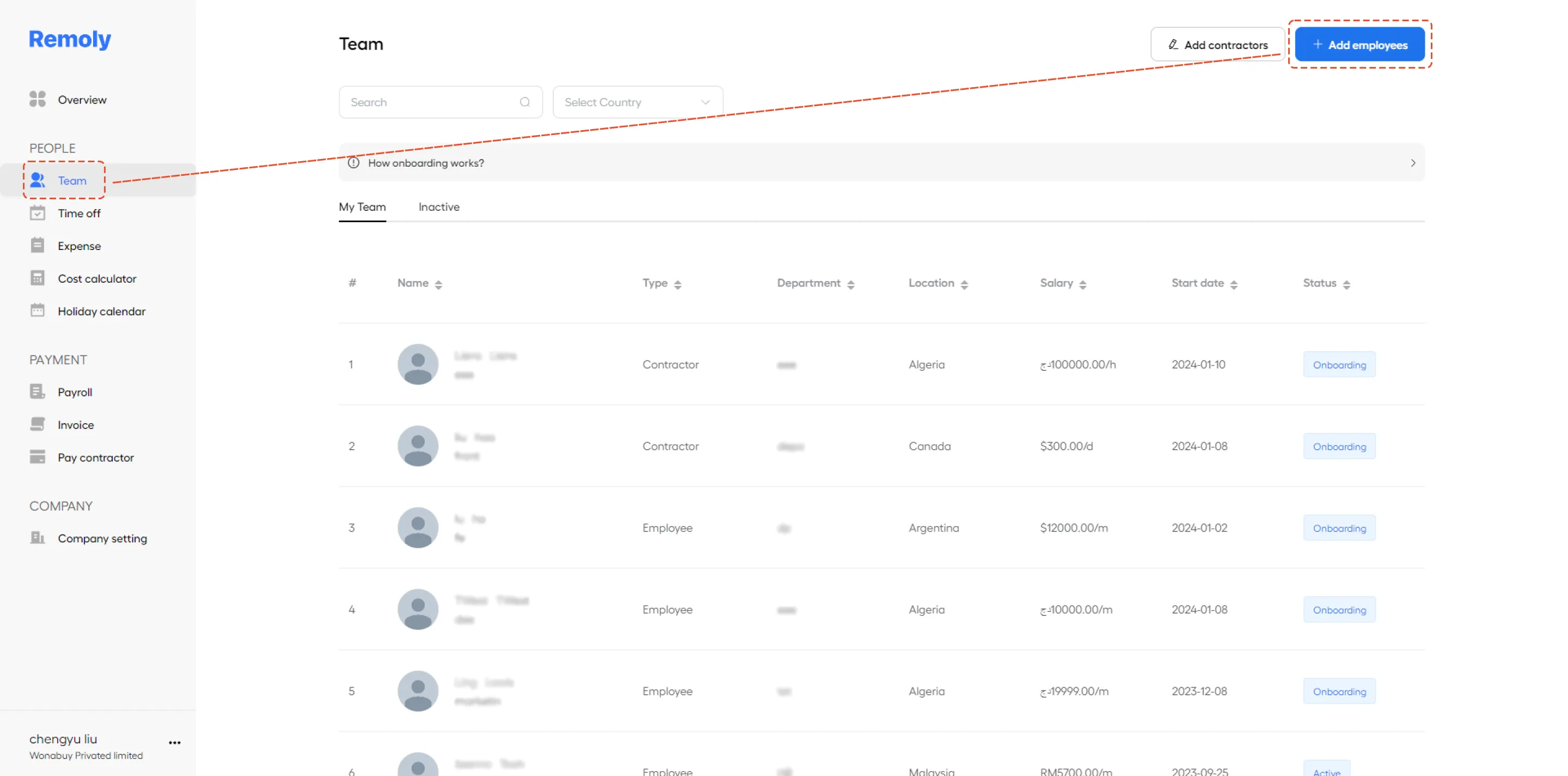
From here, you’ll typically be prompted to enter information.
2. Fill in the details of the individuals you are adding. Remember to click "Save" once you're done.
You will be presented with a form where you need to enter information for each employee you’re adding. This typically includes details such as their full name, email address, job title, department, and any other required information. Make sure you enter all necessary details accurately.
Double-check the information to ensure there are no mistakes.
Click "Save" once you’ve completed entering all the details. This will finalize the addition of the employees and update the system with their information.
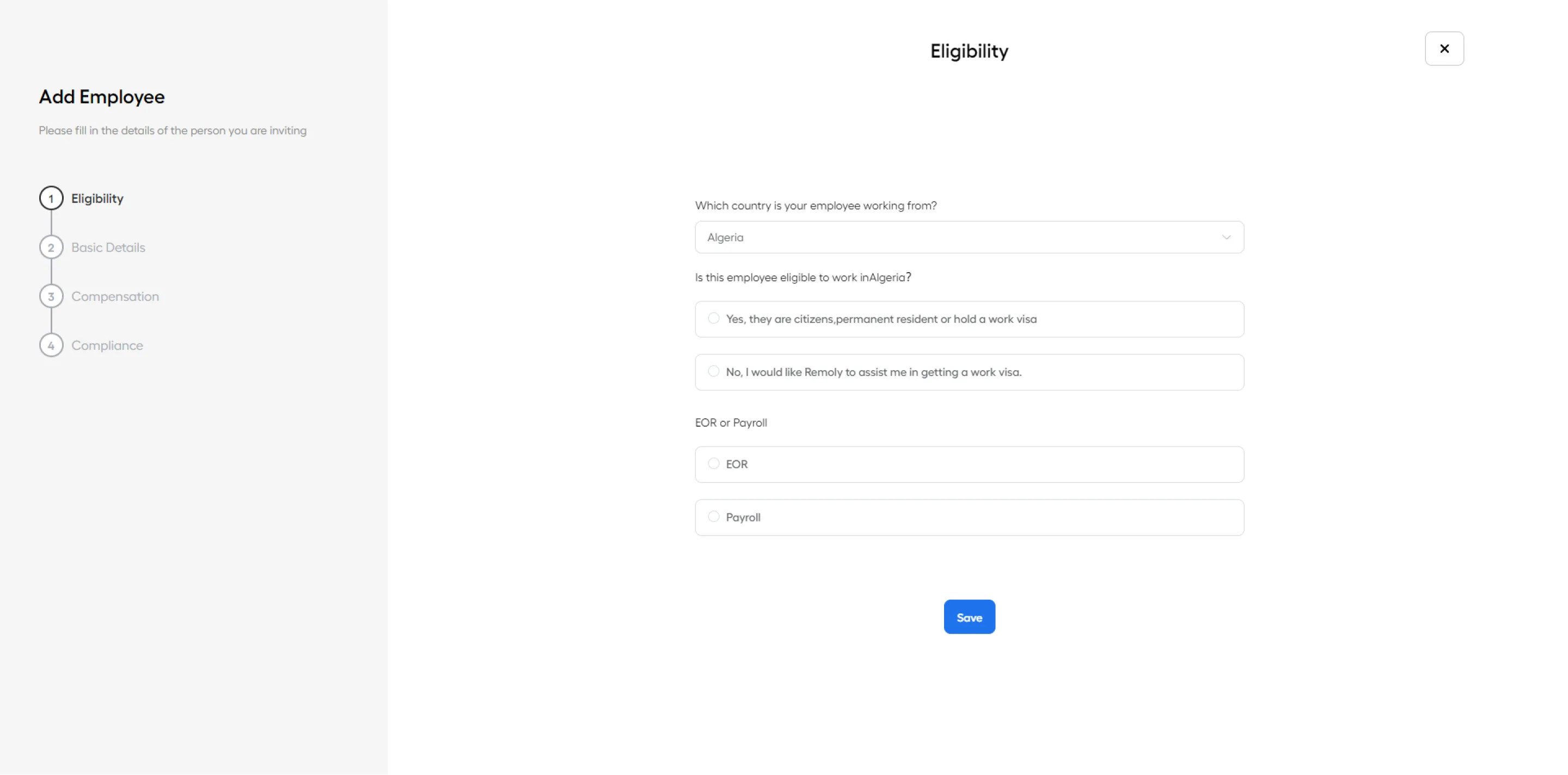
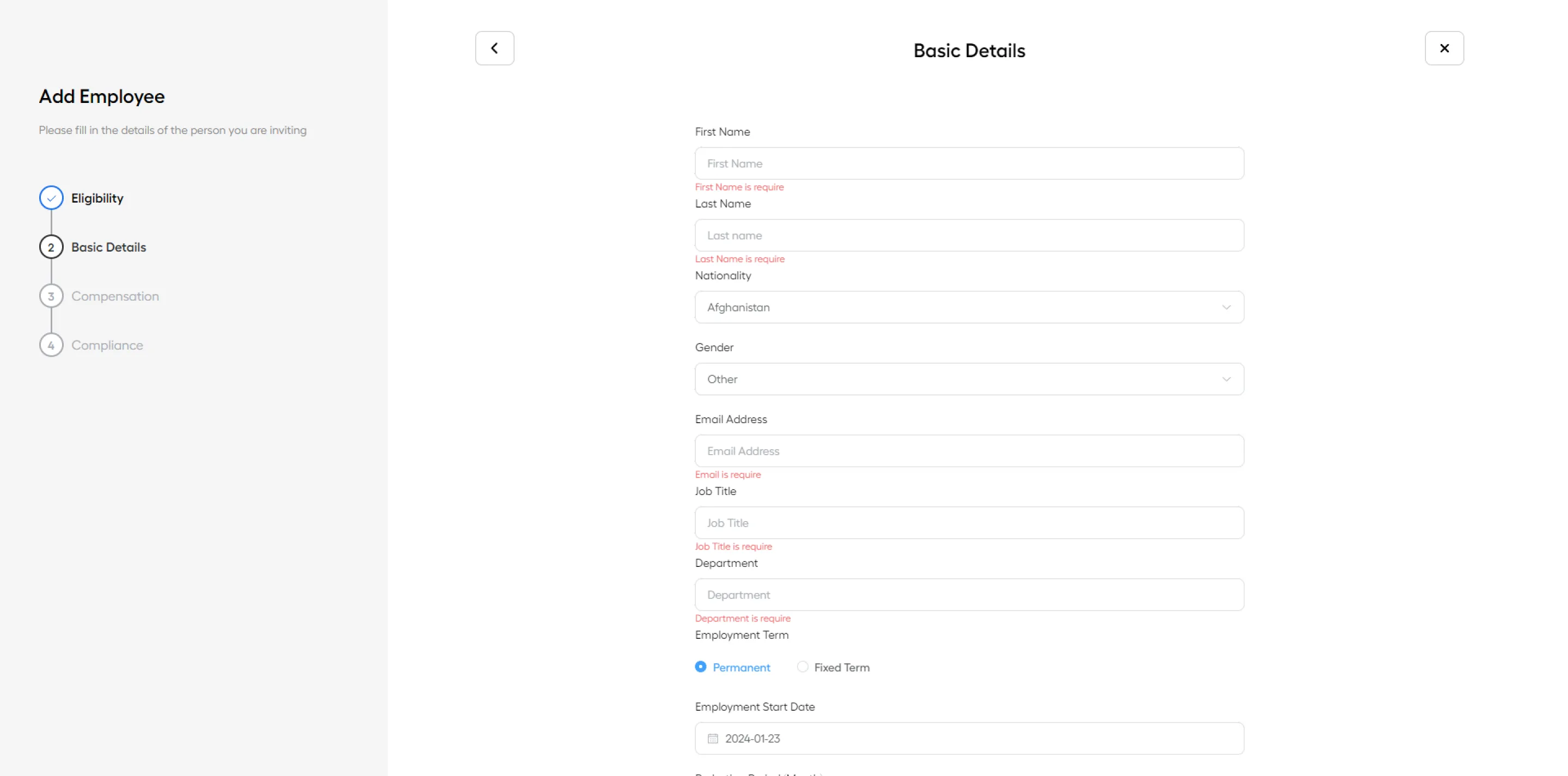
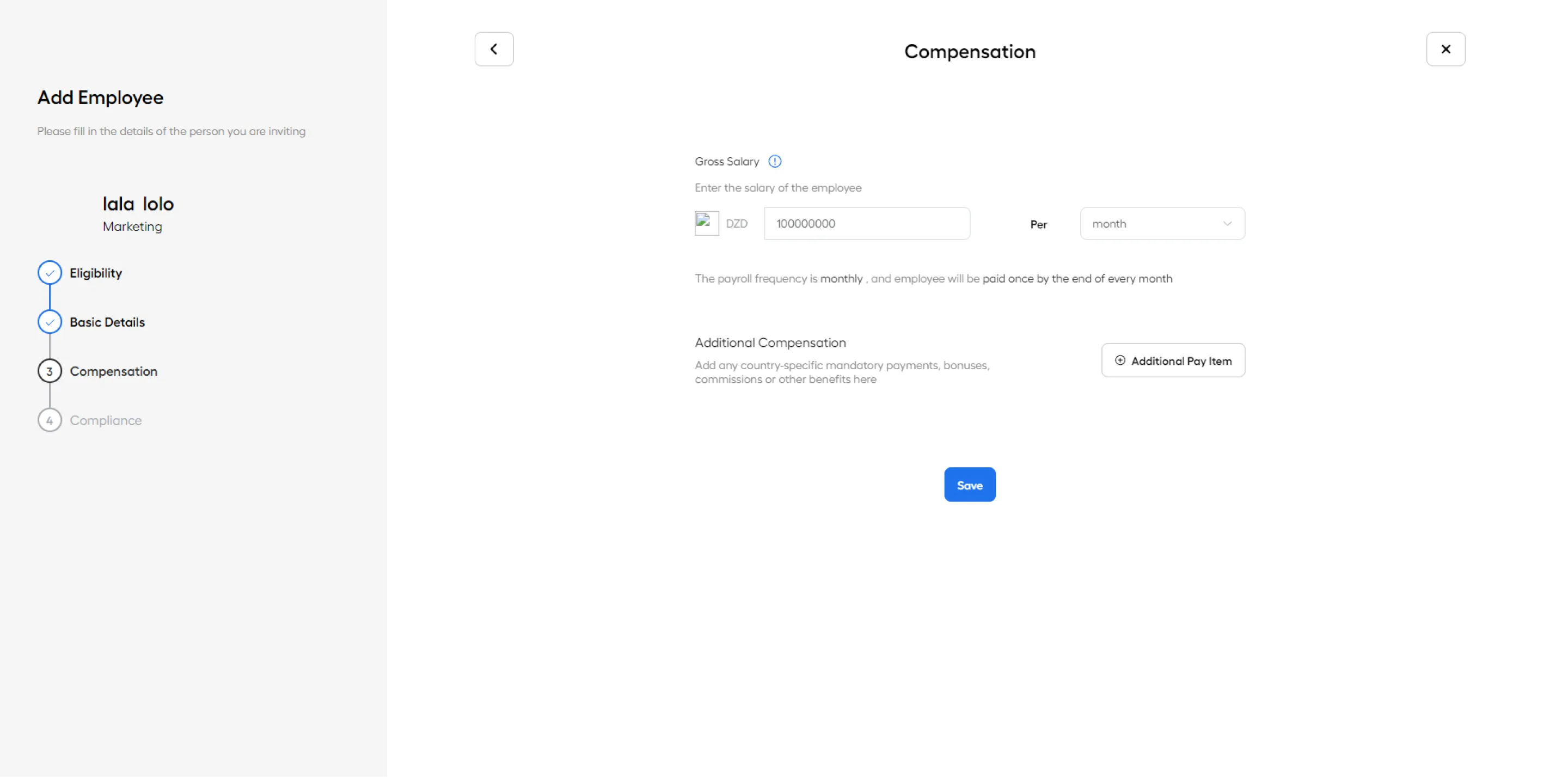
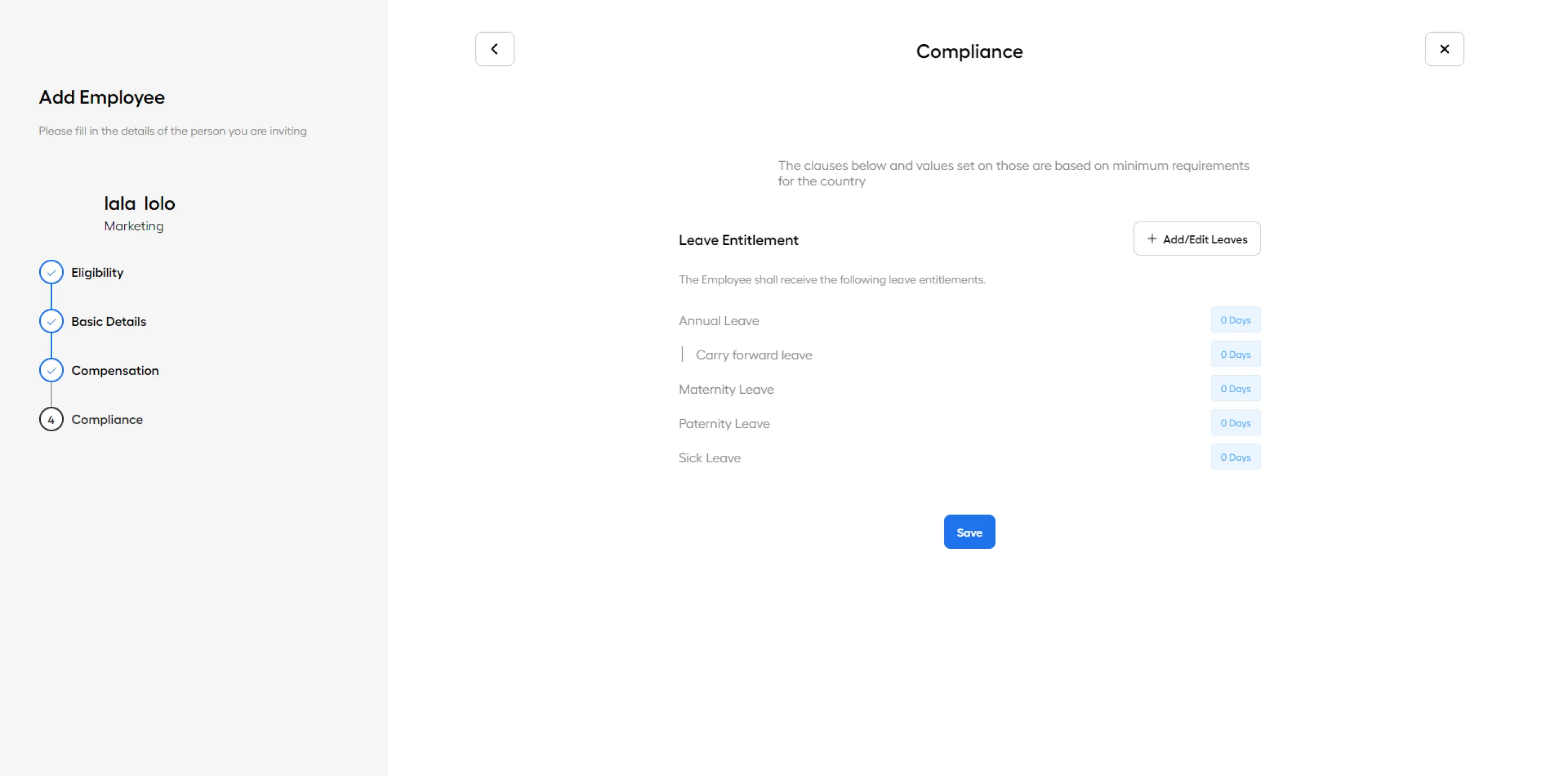
If you have any additional questions or need further assistance, feel free to ask!
|
Onboard Global Employees in Minutes Adding employees to your system is just the beginning. Remoly handles the full employee lifecycle — from compliant onboarding and contract generation to payroll, benefits, and offboarding — across 100+ countries. Start Onboarding Globally |
Sources:
Remoly — Your Global EOR & Employer of Record Partner
Serving 100+ Countries & Regions Worldwide
* This article is for informational purposes only and does not constitute legal advice. For specific compliance guidance, consult a qualified professional.
Related Articles




Easy to start,
intuitive to use
